Last updated · Written and tested by The GifEraser team, who build and maintain this tool.
You can remove a GIF background in about a minute, but the right method depends on what's behind your subject. A flat white or green background is best removed by color, so it's exact and instant. A real-world scene needs AI that recognizes the subject in every frame. Here is what to do for each case.
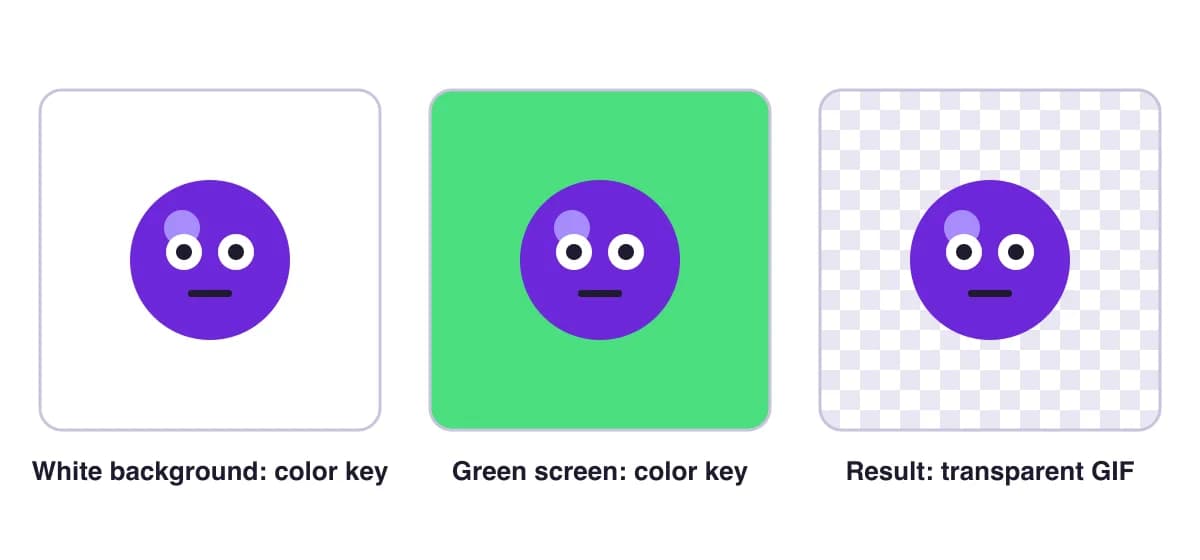
1. Remove a white or single-color background from a GIF
- Drop your GIF into the tool above. The tool reads the border and selects Color key with the detected color.
- Leave Only remove the outer background on. It flood-fills from the edges, so white eyes, teeth or text inside the subject stay.
- If a gray or colored fringe remains, raise Tolerance in small steps (16% to 25% is typical) and add 1 px of Edge cleanup.
- Switch the preview to black to spot leftovers, then download.
2. Remove a green screen background from a GIF
Green screen clips are the easiest case. Use Color key, click Pick from GIF and click the green. Because lighting is rarely perfectly even, a slightly higher tolerance (20-30%) and a little edge softness help. If the subject has green in it (a plant, a green shirt), keep outer background only on.
3. Remove a busy or moving background from a GIF
Reaction GIFs, movie clips and product shots have backgrounds with many colors, and often a moving camera. Color key can't separate those, so choose AI - any subject. It runs a segmentation model on every frame in your browser. Turn on Smooth edges between frames to reduce flicker. For people only, AI - people (fast) is quicker on older laptops.
If hair, fur or motion blur still look rough, HD mode sends the frames to our GPU server and runs the full-size model. Frames are processed in memory and never stored.
Which method should I use?
| Background | Method | Speed |
|---|---|---|
| White / one flat color | Color key | Instant |
| Green or blue screen | Color key (pick color) | Instant |
| Photo, movie or game footage | AI - any subject | About 1-2 s per frame |
| Fine hair and fur, client work | HD mode | About 1-2 s per frame, on our GPUs |
After you remove the background
- Too big for Discord or email? Run the result through the GIF compressor.
- Want to edit frames? Download the PNG frames ZIP, edit them, then rebuild with PNG to GIF.
- Doing this often? The main GIF background remover page explains every setting and the free vs Pro limits.
Remove GIF background: questions
How do I remove the background from a GIF for free?
Drop the GIF into the tool above. For a white or single-color background use Color key; for people, pets or real scenes use AI - any subject. Check the preview on the checkerboard, then click Download GIF. No signup and no watermark.
How do I remove a white background from a GIF?
Choose Color key. The tool usually detects white automatically. Keep "Only remove the outer background" on so white eyes or highlights inside the subject survive, and raise Tolerance a little if gray fringes remain.
Can I remove the background from a GIF on my phone?
Yes. The tool runs in mobile browsers on iPhone and Android. Color key is instant on phones; AI mode works too but is slower on older devices, and HD mode does the heavy lifting on our servers.
Why does my GIF still have a halo after removing the background?
GIF pixels are either fully clear or fully solid, so anti-aliased edges keep a trace of the old color. Set the edge matte to the color of the page the GIF will sit on, or use Edge cleanup (1-2 px).
Does removing the background keep the animation?
Yes. Every frame is processed and the original frame timing and loop are kept.
What if the background moves or has many colors?
Use AI - any subject, which finds the subject in each frame no matter what is behind it. For the sharpest hair and fur, HD mode runs the full BiRefNet model on our GPUs (one free try on GIFs up to 60 frames, then Pro).